 Kilnframe Desktop
Use your Claude or ChatGPT plan
If you pay for Claude or ChatGPT, Kilnframe can use that plan: the AI work costs nothing extra. It goes through Claude Code or Codex, the companies' own programs on your computer.
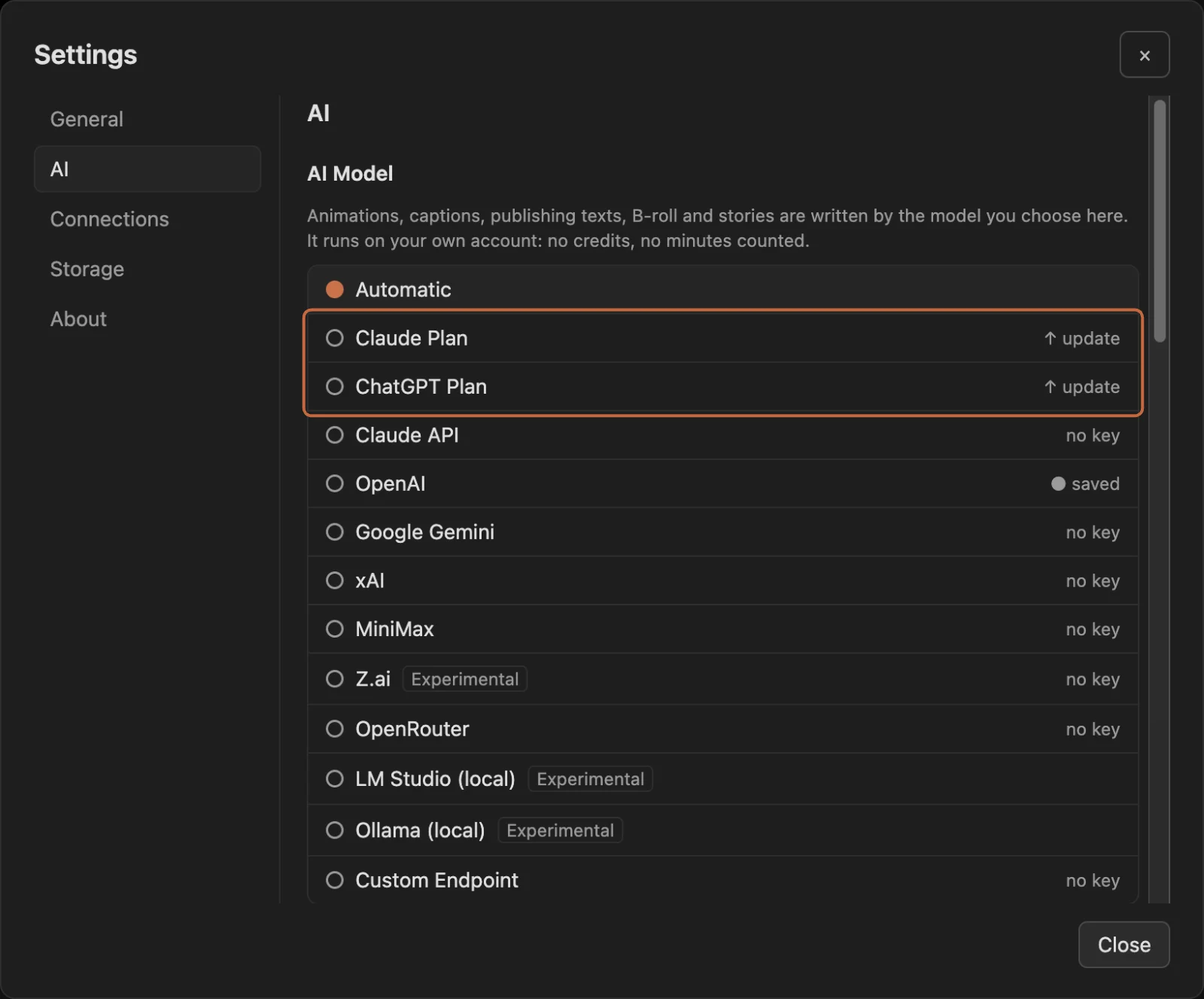
What you need
- Claude Plan: Claude Code, the program that runs in the terminal, and a paid Claude plan (Pro, Max, Team or Enterprise). The Claude desktop app is not enough.
- ChatGPT Plan: Codex, the program that runs in the terminal, signed in with your ChatGPT account. The ChatGPT desktop app is not enough.
Set it up
- Open the AI settingsSettings › AI › AI Model, and choose Claude Plan or ChatGPT Plan.
- Install the program, if it is missingThe row says not installed and shows the Install command. Press Copy, paste it into Terminal (Command Prompt on Windows), and when it is done press Look Again.
- Sign inPress Sign In. The program's own sign-in opens in a terminal window; confirm with your account in the browser. It shows up in Kilnframe by itself when done: Signed in, with your plan and the program's version.
- Pick a modelFor Claude: Opus 5.5 (recommended), Sonnet 5.5 (faster) or Fable 5.1 (most capable, costs more and is slower). For ChatGPT, Codex's setting uses the model chosen in Codex.
Automatic
Automatic uses your Claude plan when you are signed in, and a Claude API key otherwise.
Keep it up to date
When a new version of Claude Code or Codex is out, the row says update. Old versions can stop working: press Update, and the update runs in a terminal window.
What it costs
The work counts against your Claude or ChatGPT plan, as when you use it yourself. Animations are among the heaviest jobs: the model works on each scene and image separately, and the Animations tab says so before you start.
No plan? An API key works too, as do models on your own computer with LM Studio or Ollama.