 Kilnframe Desktop
Report a problem
Something went wrong, or you have an idea? Tell us from inside the app. Nothing goes until you press Send, and you see what goes first.
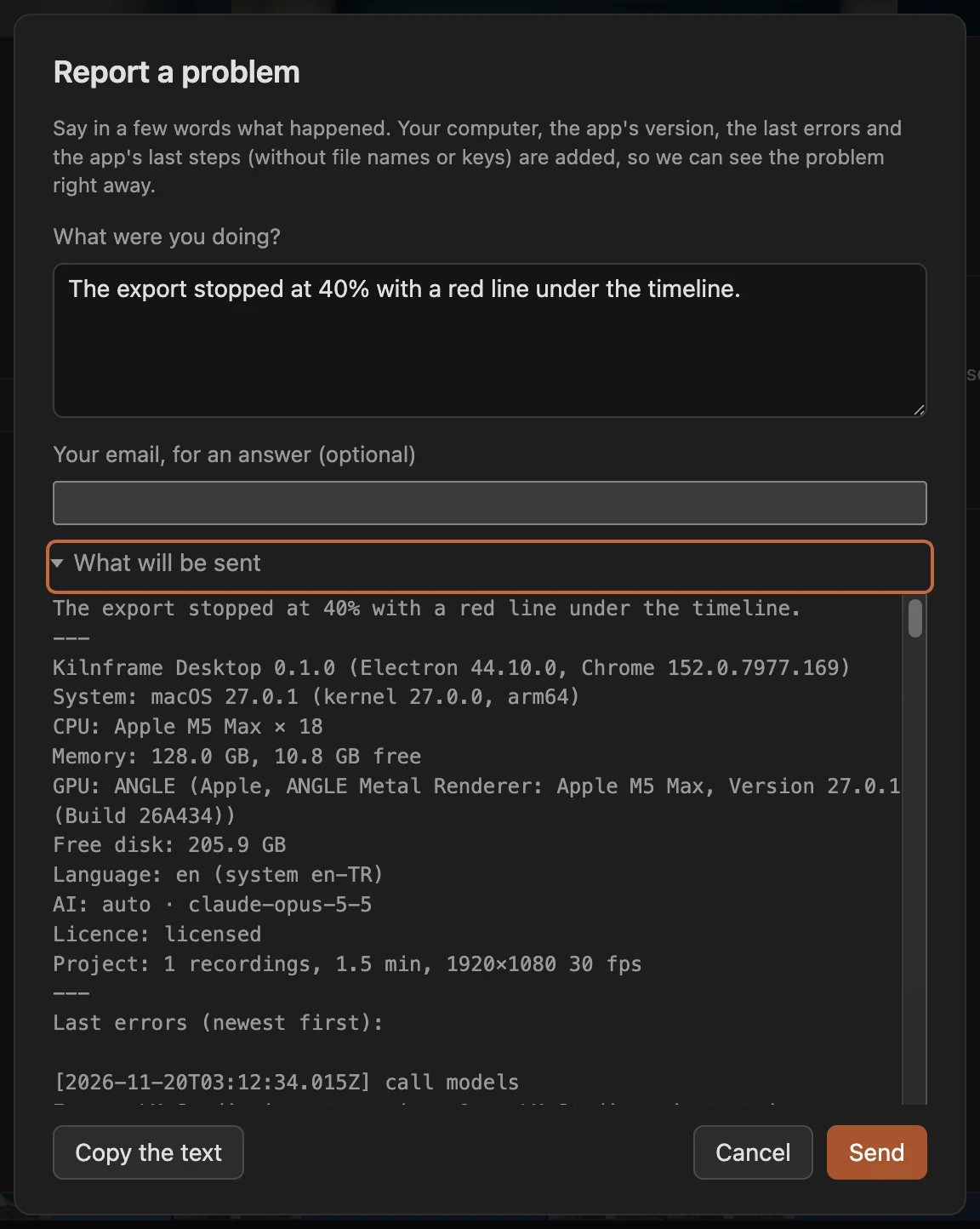
Report a problem
- Open itReport a problem, in the Help menu or in Settings › About.
- Say what happenedWhat were you doing? A few words are enough.
- Leave an email, if you want an answerYour email, for an answer (optional).
- Look at what goesOpen What will be sent: the app's version, your system, processor, memory, graphics and free disk, the language, the AI model chosen, the licence state, the project's size, the last errors and the app's last steps. No file names and no keys; your home folder is written as
~. - SendPress Send. If it cannot be sent, Copy the text and email it to hello@kilnframe.com.
Send feedback
Send feedback is for an idea, a wish or something you did not like. Your message goes to hello@kilnframe.com.
Why it matters
On Windows and Linux, Kilnframe Desktop is a Beta: every feature is there, and reports are how it gets fixed fast.