Kilnframe Desktop
Publish
The Publish tab gets the video ready to post: short clips from it, the words that go with it, and other languages.
Short clips
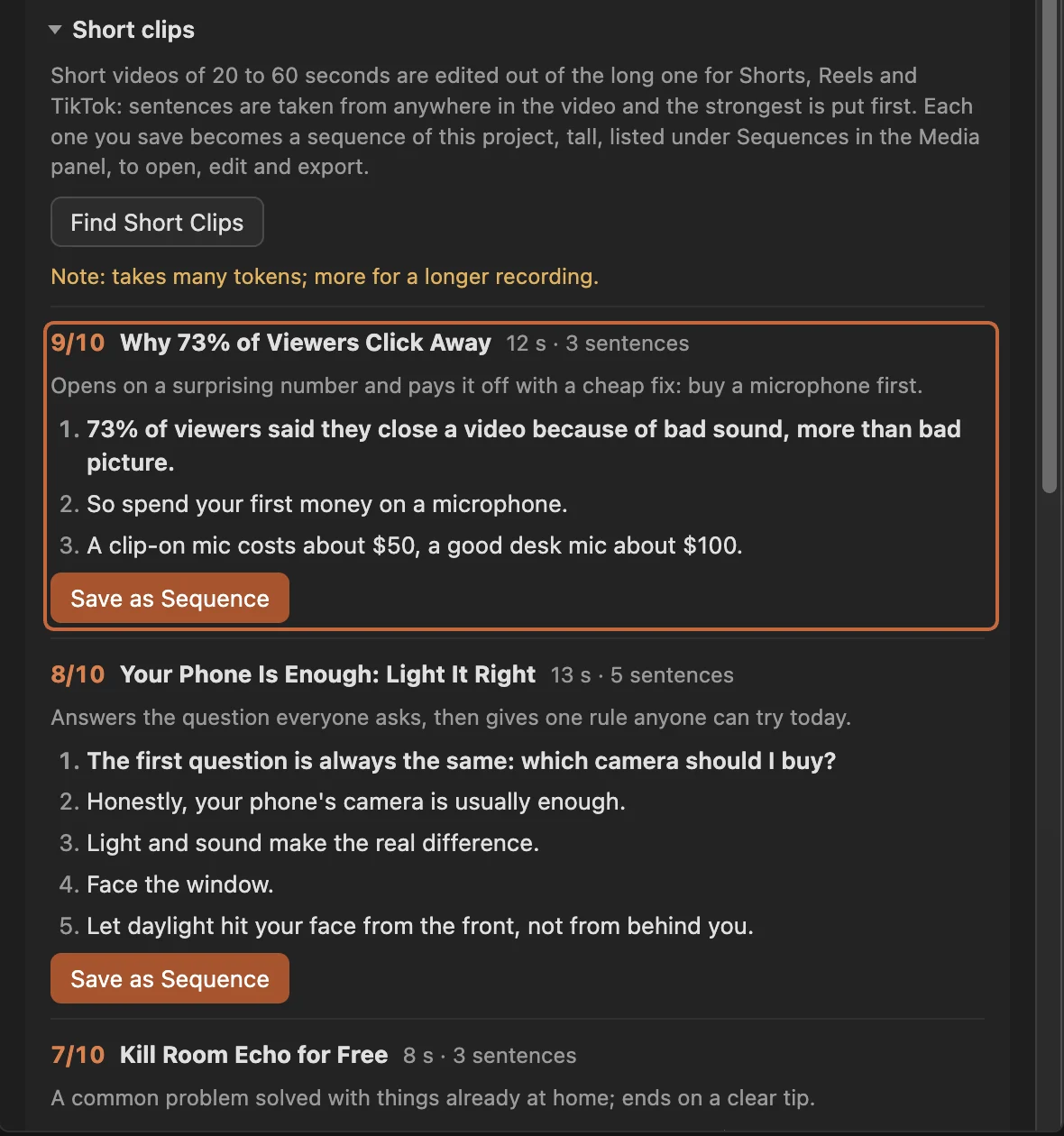
Find Short Clips edits short videos of 20 to 60 seconds out of the long one, for Shorts, Reels and TikTok. Each comes with a score for how well it holds a viewer on its own. Save as Sequence makes it a tall sequence of the project, to open, edit and export. See Short clips.
Publishing texts
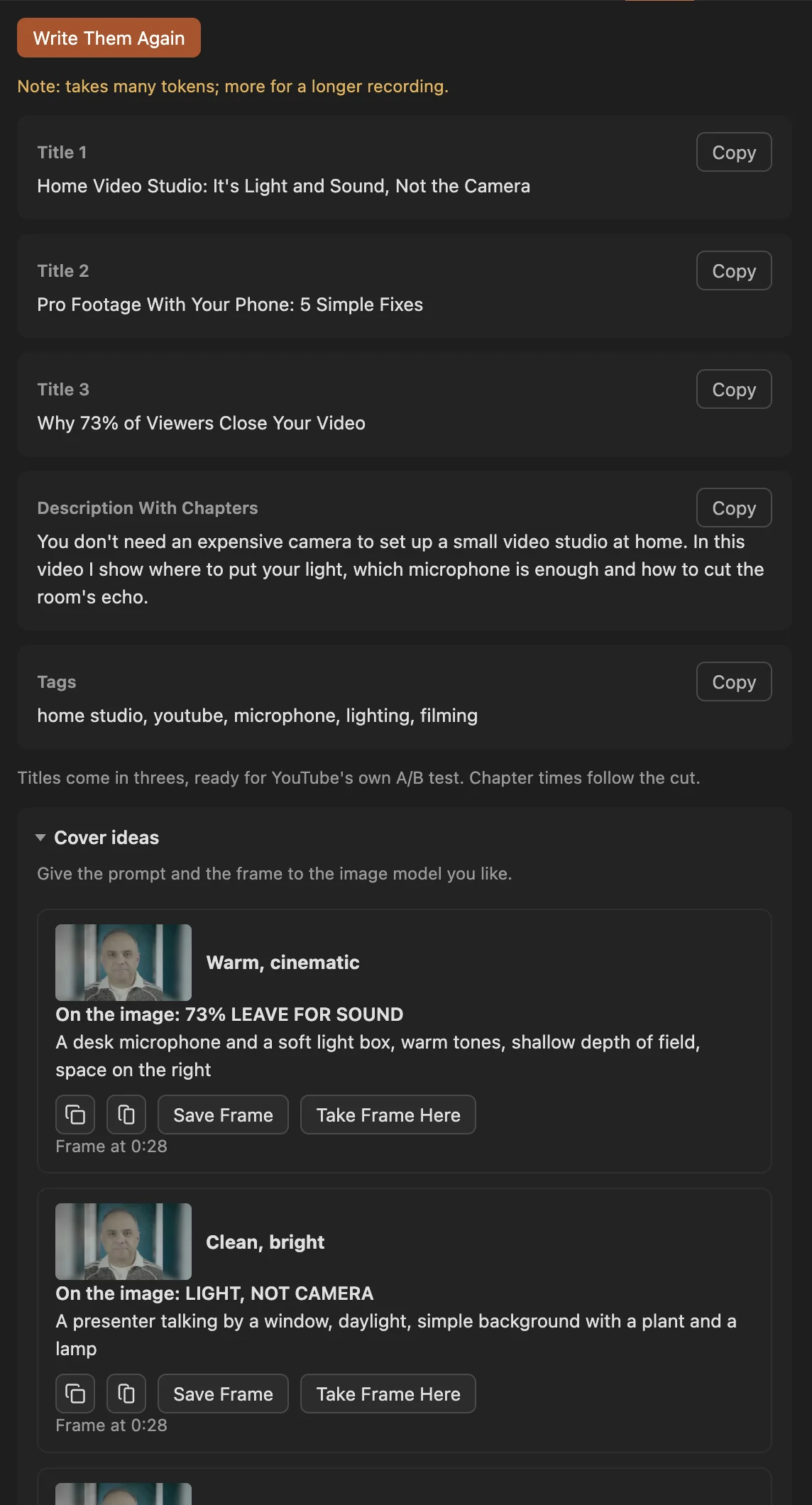
Write Publishing Texts asks your AI model for:
- Title 1, Title 2 and Title 3: three, ready for YouTube's own A/B test;
- Description With Chapters: chapter times follow the cut;
- Tags;
- Cover ideas: a prompt for the image model you like (Copy Prompt, Copy Vertical Prompt), the words to put on it, and a frame of the video for it: Take Frame Here takes the frame at the playhead, Save Frame saves it.
Copy beside each puts it on the clipboard. Names in the transcript's glossary are spelled as you keep them. The chapters can also go into the exported file (Export).
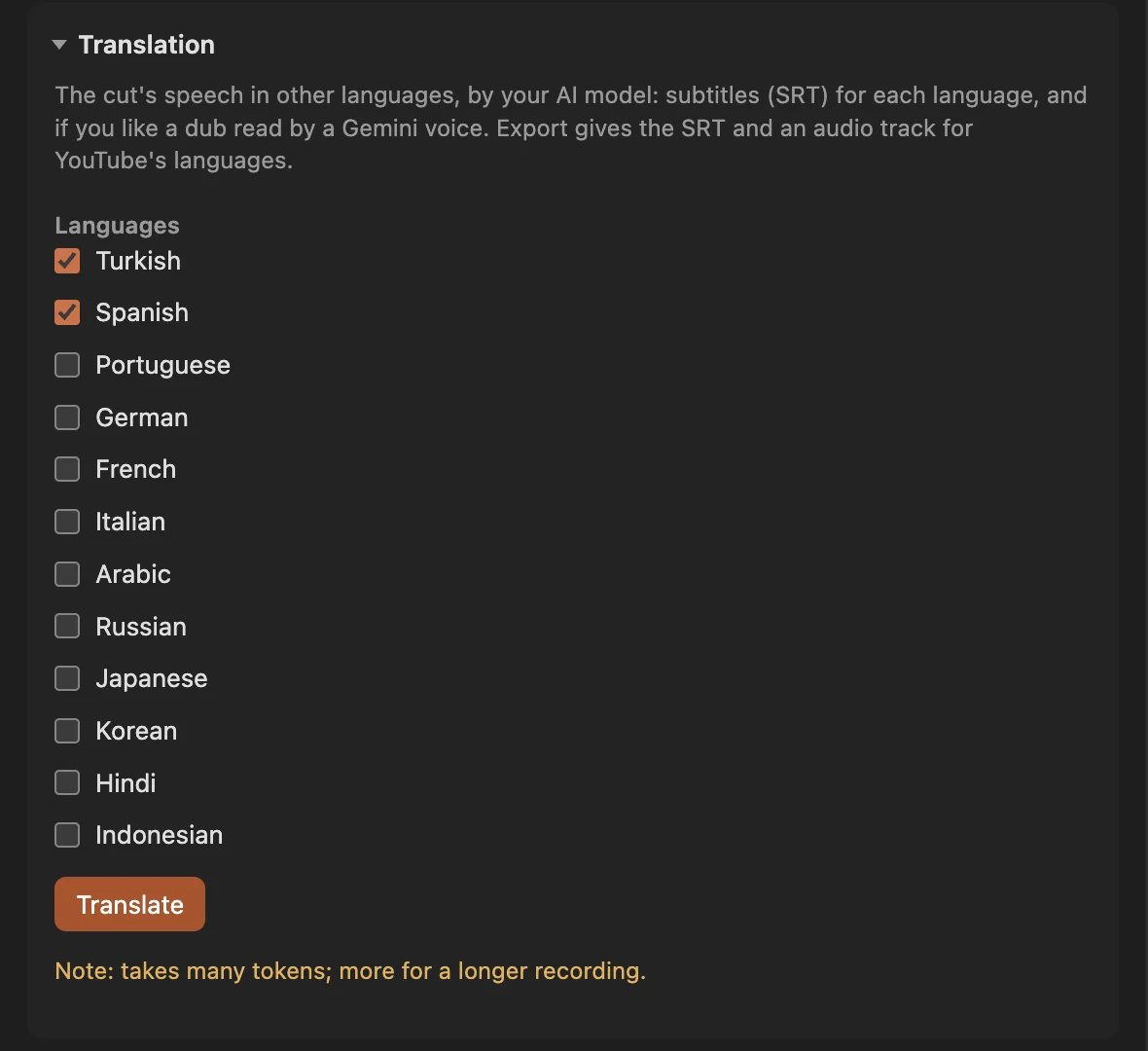
Translation
Under Translation, pick Languages and press Translate: your AI model translates the cut's speech into subtitles for each language. Dub has them read by a voice. See Translation and dubbing.